



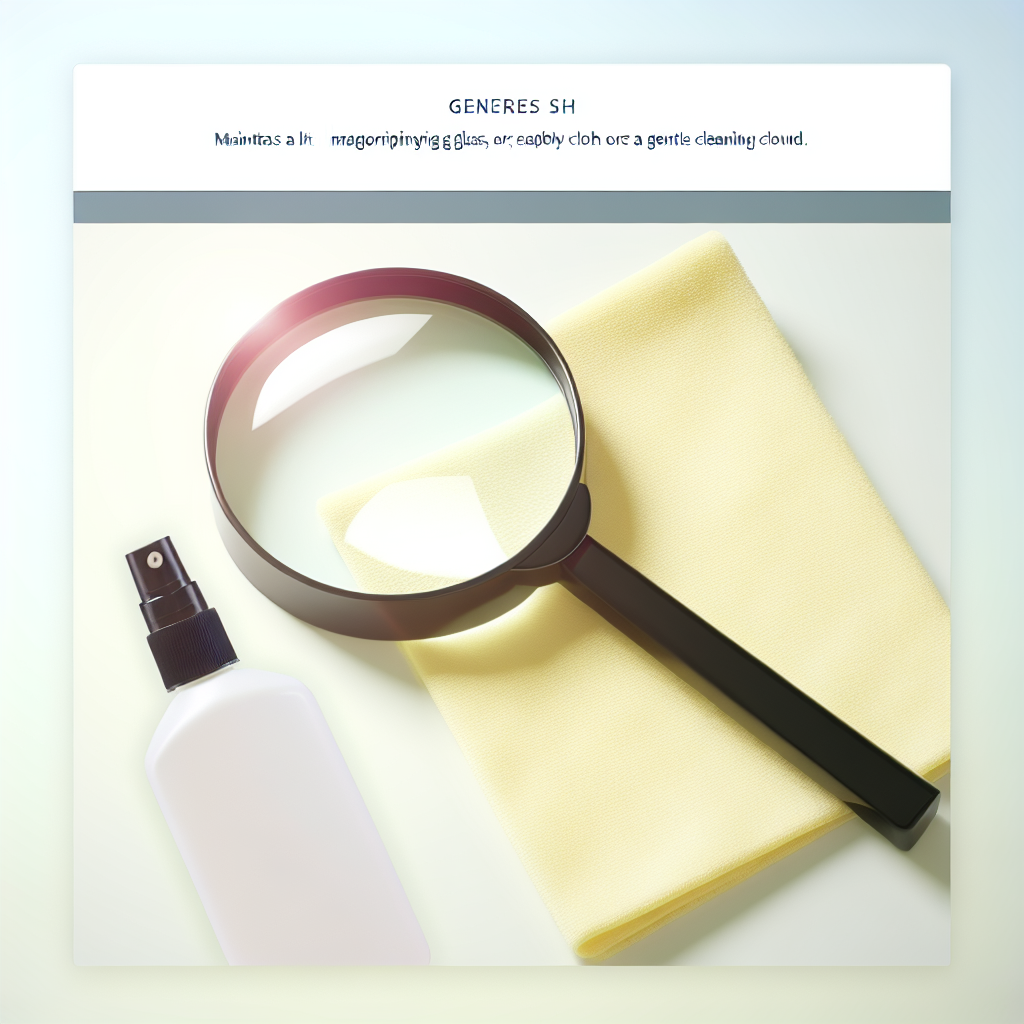
📌 Importance of Regular Maintenance for an Illuminated Magnifier
Regular maintenance of your illuminated magnifier is an essential step to preserve its observational qualities and lifespan. Whether you are a mineralogy enthusiast, collector, model maker, healthcare professional, or simply a curious user, the image quality and light intensity offered by a magnifier are closely dependent on its cleanliness and proper maintenance. In addition to optimizing the device's performance, regularly cleaning and checking the magnifier significantly reduces the risk of breakdown, overheating, or premature deterioration of electronic components.
Indeed, a poorly maintained illuminated magnifier can exhibit various malfunctions: weak light output, tarnished or scratched lenses, faulty power supplies... This type of incident compromises user safety and deteriorates the accuracy of observations. Knowing how to properly maintain your device means maximizing the reliability and longevity of each component, to sustainably enjoy a high-performing and comfortable-to-use magnifier.
Good maintenance also saves you money in the long run by avoiding costly repairs or premature replacements. Furthermore, preventing problems through simple, regular actions contributes to a consistently optimal user experience, whether you are working on meticulous tasks or simple daily observations.
🔍 General Functioning of an Illuminated Magnifier
Before delving into maintenance, it is essential to understand how your illuminated magnifier works. It usually consists of a magnifying optic (single or multiple lens) associated with a light source. The integrated light, often LED or fluorescent, provides homogeneous and intense illumination of the observed area, which considerably improves the precision of manual work or the visual study of fine details.
- Magnifying lens: This is the main element for close-up and detailed viewing.
- Light source: Placed around or under the lens, it eliminates shadows and highlights details invisible to the naked eye.
- Articulated support: Allows easy adjustment of the magnifier's angle and height for maximum user comfort.
- Electrical connection: Provides the necessary power for the light source, often with an on/off switch.
The proper functioning of these elements directly depends on their cleanliness and general condition. Some typical malfunctions due to lack of maintenance:
- Cloudy lens, blurry vision
- Flickering or absent light
- Reduced flexibility of the arm or base
- Exposed or damaged electrical wires
A simple regular check and appropriate cleaning can prevent most of these drawbacks and ensure better use of your illuminated magnifier.
💡 Why Dust and Dirt Are Enemies
Dust, micro-particles, and residues are the main enemies of any optical instrument, and the illuminated magnifier is no exception. These undesirable agents can accumulate on the lenses, between the seals, or around the bulbs, gradually degrading visual performance and causing electrical failures.
| Problem | Cause | Consequence |
|---|---|---|
| Dirty lens | Dust, fingerprints, grease | Reduced clarity and sharpness |
| Accumulation around the lighting | Uncleaned workspace | Decreased light intensity |
| Obstructed ventilation | Poor storage | Overheating of the lighting system |
It is therefore essential to fight against dust and dirt, not only to protect the quality of the perceived image but also to ensure the electronic longevity of the magnifier. A dirty surface also promotes the proliferation of germs and bacteria, which can be problematic during medical or precision manipulations.
The user experience is thus diminished, making reading, observation, or manual work significantly less pleasant and potentially less precise. Regular maintenance is therefore an indispensable act of hygiene for any demanding user.
📌 Steps for Effectively Cleaning Your Illuminated Magnifier
Adopting an appropriate cleaning routine ensures the preservation of your illuminated magnifier and optimal maintenance of its essential components. Here are the detailed steps to ensure effective cleaning without risking damage to the device.
🔍 Necessary Cleaning Equipment
Safe and thorough cleaning requires specific, soft, and effective tools, adapted to the delicate components of the magnifier:
- Lint-free microfiber cloth
- Special optical cleaning fluid or mild solution (avoid pure alcohol)
- Soft anti-static brush
- Cotton swab for hard-to-reach areas
- Blower for removing superficial dust
- Clean gloves to avoid leaving new marks or grease
Each accessory plays an essential role in removing dirt without scratching or leaving additional residue. Using appropriate equipment ensures that you do not damage the lens or the internal circuits of the lighting.
💡 Cleaning the Lenses
The lenses are at the heart of the illuminated magnifier's optical system. Their maintenance must be carried out with caution to avoid any risk of scratching or chemical alteration. Follow these recommendations:
- Gently blow off dust using a blower or air duster.
- Apply a few drops of optical cleaning fluid onto a microfiber cloth.
- Gently wipe the lens surface with linear movements, never circular.
- For edges or corners, use a cotton swab or a soft brush.
- Allow the lens to air dry for a few moments before replacing any cover or protection.
Never use abrasive products or overly rigid tools, which could irrevocably scratch the optical surface. Also avoid using direct aerosols that risk introducing moisture into the internal components.
🌟 Maintaining the Light Source
The integrated lighting (LED, halogen, or fluorescent) must be kept clean to prevent any deposits that could reduce light diffusion. Always proceed safely, with the magnifier unplugged:
- Unplug the magnifier and wait for the light source to cool completely.
- Remove the protective glass if it is detachable.
- Wipe the outer surface of the lamp with a microfiber cloth.
- Use a very soft brush to dislodge dust caught around the base or hard-to-reach parts.
- Clean the glass or plastic protection with an appropriate product, then let it dry.
- Carefully reassemble all elements before plugging the magnifier back in.
This type of cleaning helps maintain the original light intensity, but also limits any risk of abnormal heating or short circuit induced by the accumulation of particles around the electrical circuits.
📌 Periodic Checks to Maintain Your Magnifier
Cleaning alone is not enough to ensure the long-term health of your illuminated magnifier. It is advisable to adopt a periodic inspection routine to detect any incipient wear, electrical failure, or structural disorder likely to compromise the safety and performance of the device.
🔍 Inspection of Electrical Connections
Take the time to carefully examine the condition of the wires, plugs, and all electrical elements of your magnifier. A simple bare cable or damaged plug can endanger the user and damage the system:
- Always unplug the device before inspection.
- Check along the entire power cable – look for cracks, fraying, cuts.
- Check the condition of plugs and connectors, replace them at the first sign of wear.
- Test the stability and flexibility of the switches.
An aging or faulty electrical connection can cause power outages, sparks, or overheating. If a problem is detected, consult a professional or refer to the manufacturer's recommendations.
💡 Maintaining the Magnifier's Structure
The structure – articulated arms, base, rotation axes, fixings – must remain solid and stable to allow precise work without risk of accident. Structural maintenance includes:
- Regular checking of all screws and fasteners (tighten as needed)
- Examination of joints, stabilizer base, ball joints
- Light lubrication of moving parts, if recommended by the manufacturer
- Search for cracks, breaks, or loss of adhesion
Poorly fixed arms and bases compromise the overall balance of the device and can cause falls or injuries. Maintaining the structure is essential regardless of the frequency of use of the illuminated magnifier.
🌟 Moisture Management
Humidity is a critical factor in the deterioration of optical equipment. The presence of water or condensation can lead to mold growth on lenses and electronic components, rendering the magnifier unusable or irrevocably altering its optical properties.
- Always store the magnifier in a dry place, away from extreme temperature variations.
- Avoid using or cleaning it in humid environments (bathroom, unventilated cellar...).
- If possible, use silica gel packets near the magnifier during storage to absorb excess moisture.
- Wipe off any traces of moisture detected on surfaces immediately after use.
Rigorous moisture management prevents corrosion of electrical contacts, deterioration of optics, and the appearance of difficult-to-remove deposits.
📌 Tips for Extending the Lifespan of Your Illuminated Magnifier
Adopting good daily habits allows your illuminated magnifier to maintain its performance for many years, while limiting major corrective interventions. Here are the best practices to integrate:
🔍 Proper Storage
Adequate storage is the primary protection against shocks, dust, and the risk of accidental damage:
- Always store the magnifier in its protective case or under its cover after each use.
- Always place the device away from high-traffic areas to prevent falls.
- Keep the magnifier away from harsh chemicals and direct heat sources.
- Store portable models in a position where the lens is not subjected to excessive pressure.
A dedicated, clean, and dry storage space limits the appearance of dust and the risk of accidental deterioration.
💡 Compliant Use with Manufacturer's Instructions
Reading and scrupulously following the manufacturer's recommendations for your illuminated magnifier is essential:
- Consult the manual before first use or any complex maintenance.
- Respect the recommended electrical power and bulb types.
- Never use the device in unrecommended conditions (humidity, extreme temperatures...).
- Replace parts only with authentic models.
- Do not disassemble complex parts yourself without certified technical expertise.
Strict application of instructions ensures the maintenance of performance and safety of the device, thereby extending its manufacturer's warranty and its longevity.
🌟 Repairs and Spare Parts
In case of a technical or mechanical issue, responsiveness often makes a difference:
- Detect and act at the first signs of malfunction (loose connections, uneven light intensity, play in the joints...).
- Prefer repairs from an authorized professional or directly from the manufacturer.
- Always replace worn or defective parts with original ones, specifically recommended for your model.
Using compatible but uncertified parts risks voiding the warranty, damaging the system, or even making the device dangerous. For adapted advice, refer to our dedicated guide: detailed maintenance tips for your illuminated magnifier.
Good maintenance avoids the multiplication of small repairs and extends the stability and efficiency of the device over time.
📌 FAQ: Your Frequently Asked Questions about Illuminated Magnifier Maintenance
- How often should I clean my illuminated magnifier?
A light weekly cleaning (dusting) and a thorough monthly cleaning are sufficient for most domestic or professional uses. Increase the frequency if your environment is particularly dusty.
- Can I use household alcohol to clean the lens?
It is not recommended to use household alcohol, which can alter the coating of the lenses. Opt for an optical cleaner specifically designed not to damage delicate materials.
- My LED light is dimming, do I need to replace the entire magnifier?
Not necessarily. First, check if the bulb or LED component is replaceable, and if so, follow the manufacturer's recommendations for replacement. If the problem persists, have the electrical system checked.
- What should I do if fog appears on the lens?
Leave the magnifier in a dry, room-temperature environment, and gently wipe the lens. To prevent condensation, avoid sudden temperature changes and always store the magnifier away from humidity.
- Should I lubricate the mechanical parts of my magnifier?
Only if recommended by the manufacturer. If you notice creaking or stiffness in the arms, apply a compatible lubricant sparingly, then wipe off any excess to prevent fouling.
- Where can I find accessories or spare parts for my illuminated magnifier?
You can consult our selection of illuminated magnifier accessories or contact the manufacturer for parts adapted to your model.
📌 Conclusion: Ensuring Prolonged and Efficient Use
Taking care of your illuminated magnifier is not rocket science, but it requires regular attention to all its components. Cleaning the lenses, checking the structure and condition of the cables, preventing humidity, and following the manufacturer's recommendations are all simple but essential steps to guarantee the performance and safety of your tool.
By integrating these good maintenance practices into your routine, you protect your investment and maximize daily user comfort, whether you are a professional or an enlightened amateur. At each stage, do not hesitate to refer to specialized guides or seek our expertise to ensure the longevity and precision of your favorite optical equipment.