



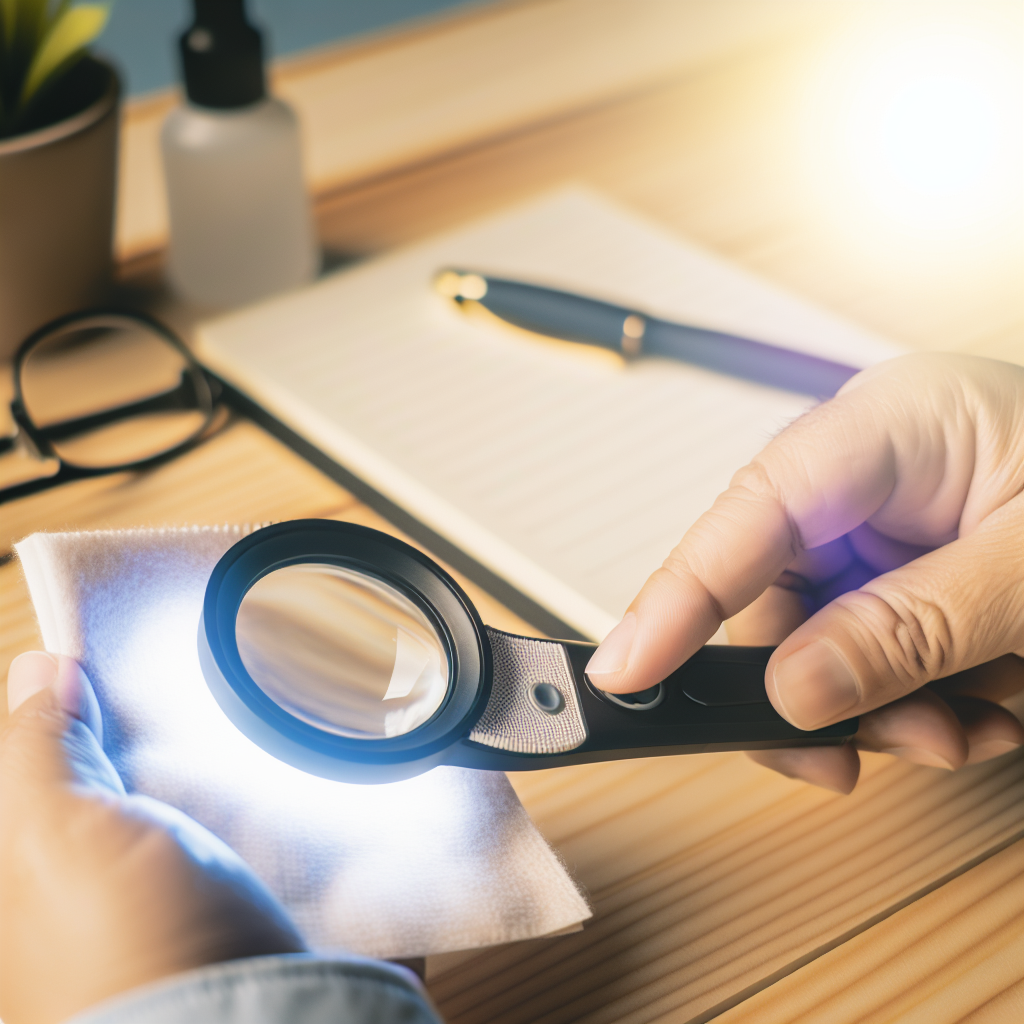
📌 Understanding How Your Illuminated Magnifier Works
Before you begin maintenance, it's essential to understand the technical specifications of your illuminated magnifier. An illuminated magnifier combines two essential elements: a high-quality magnifying lens and a lighting system, most often integrated into the frame. These devices are designed to provide optimal visibility for precision operations, whether in jewelry, electronics, sewing, or document reading.
The operating principle is based on the uniform diffusion of light over the area to be observed, thus eliminating shadows and improving contrast. The user places the magnifier over the object and adjusts the light intensity as needed. Some models have adjustable LEDs, while others use halogen or fluorescent bulbs. There are also portable variants and stand-mounted versions, adapted for various professional or domestic uses.
Understanding this operation ensures that maintenance is carried out with respect for sensitive components. For example, cleaning must be done carefully to avoid greasing or scratching the lens or damaging internal electrical circuits. In addition, regular handling of buttons, switches, and connectors must be done carefully, otherwise the contacts may be damaged. A precise understanding of how your illuminated magnifier works ensures optimal use and a longer lifespan for your equipment.
In the rest of this article, we will present detailed methods for maintaining every aspect of your magnifier, from recommended tools to maintenance steps to adopt.
🛠️ Tools Needed to Maintain Your Illuminated Magnifier
Effectively maintaining your illuminated magnifier requires several specific tools and products adapted to the delicate nature of this type of equipment. Proper maintenance prevents dust accumulation, protects electronic parts, and ensures constant lens clarity for optimal use. Here is the complete list of items to plan for performing maintenance according to the rules of the art.
- Lint-free microfiber cloths
- Special antibacterial wipes for optics
- Ammonia-free cleaning solutions
- Cotton swabs and soft brushes for hard-to-reach areas
- Air blowers for removing dust
- Soft tweezers and latex or nitrile gloves for handling sensitive components
- Small airtight storage box for accessories
- Screwdrivers adapted for precision screws (if disassembly is necessary)
- Small inspection lamp or headlamp
Each component of your magnifier may require different tools depending on the brand and model. Always consult the user manual for specific cleaning and maintenance recommendations.
🧼 Recommended Cleaning Products
Choosing cleaning solutions is crucial to preserve the delicacy of your illuminated magnifier's materials. Glass or optical plastic lenses are sensitive to certain chemical substances. Here are the most recommended products:
- Ammonia-free solutions: Essential to avoid stains and not damage anti-reflective coatings. You can find these specific cleaners in specialized optical stores.
- Pre-moistened wipes: Antibacterial effect, ideal for quick use without leaving traces.
- Isopropyl alcohol (low concentration): Perfect for disinfecting surfaces while avoiding any residue.
- Distilled water: Ideal for a streak-free finish when mixed with a mild cleaner.
Tip: Avoid classic household products (window cleaners with ammonia, strong solvents) which risk altering the lens surface or degrading the seals of the light part.
🧴 Maintenance Accessories
Adapted maintenance accessories make a difference in extending the performance of your illuminated magnifier:
- Microfiber cloths: Clean without leaving scratches, perfect for delicate lenses.
- Cotton swabs: Reach corners, contours, and grooves. Choose high-quality optical ones.
- Antistatic soft brushes: Remove accumulated dust around the lighting system or in the frame.
- Air blower: Ejects particles without direct contact (to be used at a distance to avoid dust getting into the joints).
- Disposable gloves: Protect the lens from fingerprints and moisture.
| Accessory | Main use | Tip |
|---|---|---|
| Microfiber cloth | Lens cleaning | Wash regularly to prevent dust migration |
| Cotton swab | Corners and contours | Never use excessively wet |
| Antistatic brush | Frame and around the light | Discharge regularly to avoid static electricity |
| Air blower | Fine dust | Avoid excessively strong air blasts |
| Disposable gloves | Lens handling | Change after each use to limit residue transfer |
🔍 Regular Lens Cleaning
The lens is the most sensitive part of the illuminated magnifier and requires meticulous cleaning. Regular maintenance prevents the formation of micro-scratches and ensures optimal magnification without distortion. Here is the method to follow:
- Dust the lens with an air blower or an antistatic brush to remove loose particles. This preliminary step avoids rubbing dust against the lens, which could scratch it.
- Lightly dampen a microfiber cloth or a special wipe with your recommended cleaning solution (never directly on the lens).
- Clean the lens with gentle circular motions, from the center outwards, without applying excessive pressure.
- For hard-to-reach contours, use a slightly moistened cotton swab, but never soaked.
- Allow to air dry for a few seconds. If there are any streaks, gently wipe with a clean, dry cloth.
Remember to perform this cleaning at least every two weeks if you use your illuminated magnifier daily, or after each session in a dusty environment.
Small anecdote: Several experienced watchmakers advise always wearing thin gloves when cleaning the lens to eliminate any traces of fingerprints, which can become a source of persistent stains and unexpected light refraction.
💡 Maintaining the Lighting System
The integrated lighting is one of the strengths of the illuminated magnifier, but also one of the most used parts. Taking care of this component guarantees stable luminosity and extends the life of the light source. Here's how to properly maintain the lighting system:
- Always turn off the magnifier before any handling or cleaning of the lighting system to avoid any risk of electric shock or burns.
- Regularly dust the LEDs, bulbs, or lighting area with a clean, dry brush to maintain optimal light diffusion.
- Check the fixings of the bulbs or LED supports to avoid any loose connections or loss of light intensity.
- When changing a bulb, always use compatible models recommended by the manufacturer and proceed in a clean, dry environment.
- Clean reflectors and diffusers with appropriate wipes to remove deposits and preserve the transparency of the emitted light.
If your magnifier uses LEDs, note that these are generally long-lasting components, but they can lose brightness over time. Regular care will postpone this phenomenon. For models with classic bulbs, closely monitor for signs of failure (flickering, excessive heat, color change) and replace them promptly.
💡 Checking Electrical Connections
Checking electrical connections is essential to guarantee the safety and performance of your illuminated magnifier. A loose or damaged wire can lead to malfunction, or even a risk of electrical incident. Here are the steps to follow:
- Always unplug the magnifier before any electrical verification.
- Inspect the power cable for any signs of wear (cracks, cuts, deformations).
- If possible, open the connection compartment to check the condition of the solders or terminals (especially for professional use models).
- Check for excessive heat around the connectors or power supports.
- In case of doubt, call a qualified professional to replace or repair faulty electrical components.
Well-maintained wiring guarantees a reliable lighting system and increased longevity of your device – a gesture that makes all the difference in the long run.
⚙️ Regular Safety Checks to Perform
Safety when using an illuminated magnifier must be a priority, both for the user and for the proper functioning of the device. Here are the main checks to integrate into your maintenance routine:
- Check cables and plugs: Make sure no wires are exposed or damaged. Avoid multiple extensions that could cause overload.
- Mounting stability: For stand-mounted models, check that the base is stable and that the assembly is not likely to tip over.
- Locking system: If your magnifier has an articulated arm, test the solidity of the locking mechanisms to prevent it from suddenly falling.
- On/off button test: Check that it does not have any play or suspicious resistance.
- Compliance with standards: Consult the manual to ensure that your magnifier complies with current electrical standards (especially CE certification).
Performing these preventive checks greatly reduces the risk of breakdown or accident, allowing you to use your illuminated magnifier with complete peace of mind, both at home and in a professional laboratory or workshop.
🔨 Repairs and Spare Parts for Your Magnifier
Despite all precautions, a component may wear out or break down. Many spare parts are available to allow for simple repairs. Here's how to proceed:
- Where to find parts? Consult the manufacturer's website or specialized retailers. You can also check our illuminated magnifiers collection to discover compatible accessories and parts.
- Identify the faulty part: Note the exact reference of your model and the nature of the problem (cracked lens, burned-out bulb, cut cable, etc.).
- Proceed with replacement: Follow the provided maintenance guide or consult the illuminated magnifier selection and maintenance guide online. Always work on a clean, stable surface.
- Consider the warranty: Before any intervention, check if your device is still under warranty. Unauthorized intervention may void it.
If the repair requires opening the frame or the electrical compartment, do not hesitate to consult an authorized repairer to avoid any irreversible damage or safety risk. Most common repairs (lens replacement, bulb change) can be performed at home with minimal equipment and a bit of method.
🚫 Common Mistakes to Avoid When Maintaining Your Magnifier
Many users want to take care of their illuminated magnifier but, often due to ignorance or haste, make some damaging mistakes:
- Using abrasive fabrics (clothing, ordinary towels) which scratch the lens.
- Applying too much cleaning liquid, which can infiltrate the electrical system or create limescale deposits.
- Forcing screws and articulated mechanisms, which can distort the frame or damage the threading.
- Neglecting to cut off the power before any intervention on the lighting system.
- Cleaning with hot water or exposing the magnifier to heat (hair dryer, radiator), which may deform plastic elements.
- Replacing bulbs or LEDs with incompatible models, which is dangerous for electrical safety and the longevity of the device.
By adopting a meticulous procedure and following the maintenance advice in this guide, you will preserve the integrity and quality of your equipment for many years.
🛡️ Tips for Preserving the Lifespan of Your Illuminated Magnifier
To enjoy your illuminated magnifier for a long time, it is essential to adopt good daily habits:
- Clean the lens and frame after each intensive use.
- Never leave your magnifier exposed to direct sunlight or extreme temperatures.
- Keep the user manual handy to quickly consult specific maintenance instructions for your model.
- Schedule a complete maintenance (cleaning, electrical check, stability verification) every 3 to 6 months depending on your frequency of use.
- When used in a dirty environment (workshop, outdoors), protect the magnifier with a waterproof cover or storage case after each use.
Remember to regularly check the condition of moving parts, seals, and buttons to anticipate any premature wear or failure.
📍 Adequate Storage
Proper storage is key to preventing accidental deterioration of your illuminated magnifier. Follow these best practices:
- Always store the magnifier in a clean, dry place away from dust.
- Use the protective cover or case provided by the manufacturer. If you don't have one, invest in a padded shock-proof case.
- Avoid sudden temperature changes that could generate condensation inside the lens or on electronic parts.
- Do not store the magnifier near chemicals, tools, or appliances that could cause it to fall or be bumped.
- For stand-mounted models, fold and lock the movable arm to minimize bulk and prevent accidental stresses.
A good storage location extends the life of your device and ensures your illuminated magnifier is always ready for use.
❓ Frequently Asked Questions About Maintaining Illuminated Magnifiers
- How often should I clean the lens of my illuminated magnifier?
We recommend cleaning every two weeks in an office environment, or after each use in a workshop or dusty area.
- What should I use to remove stubborn stains from the lens?
Use an ammonia-free cleaning solution suitable for optics, a microfiber cloth, and, if necessary, a cotton swab lightly moistened with product. Avoid any abrasive or corrosive products.
- How can I check if the lighting system of my illuminated magnifier is working correctly?
Test the illumination and the stability of the light intensity. Visually check the condition of the LEDs or bulbs, and regularly inspect the power cables.
- Is it possible to replace damaged bulbs or LEDs myself?
Yes, in most cases, you can replace these elements yourself, provided you follow the instructions in the manual and use perfectly compatible parts.
- Is a simple cloth enough to clean my magnifier?
No, it is advisable to use a suitable microfiber cloth and, depending on the parts to be cleaned, specific accessories such as cotton swabs or antistatic brushes.
- Where can I get help if my illuminated magnifier breaks down?
Consult the manufacturer's after-sales service, manuals, or our specialized guides for an accurate diagnosis.
🔗 Additional Resources and Help
To deepen your knowledge and perfect the maintenance of your illuminated magnifier, many resources are available online or from your specialized retailer:
- Consult the manufacturer's website for PDF manuals, disassembly diagrams, and security updates.
- Follow video maintenance tutorials on specialized optics or electronics sharing platforms.
- Explore user forums for practical tips and feedback.
- Browse our dedicated catalog to find maintenance kits adapted to each type of illuminated magnifier.
In case of doubt or a complex problem, never hesitate to contact the manufacturer's customer service or a qualified repairer. Professional help remains the best guarantee of safety and efficiency.
👥 User Testimonials and Their Tips
Regular users of illuminated magnifiers often develop original tips to preserve the quality and durability of their equipment. Here are some feedback and advice gathered from the community:
- Lucie, art restorer: I always use powder-free gloves to handle the lens and store my magnifier in a drawer isolated from the rest of my equipment to avoid any traces of pigment or dust.
- David, professional watchmaker: I've gotten into the habit of quickly blowing dry air on the lens before each use, which prevents dust from accumulating and ensures a clear view.
- Sophie, seamstress: I always let my magnifier cool down after use before putting it away, especially in summer, to avoid any thermal shock to the LED lighting.
- Antoine, model maker: I keep a small box with all the maintenance tools next to my workbench, so I never forget to clean the magnifier after an intense DIY session.
- Mélissa, laboratory technician: I test the lighting every morning before starting my manipulations and clean the buttons with an antibacterial wipe every week.
These habits, born from experience, illustrate how assiduous, methodical, and environment-adapted maintenance guarantees the performance and longevity of your illuminated magnifier. Adopt them daily to enjoy your investment for a long time.