


📌 Introduction
Learn how to position your reading magnifier for optimal visual comfort and reduced eye strain. A reading magnifier is a valuable tool for individuals who have difficulty deciphering small print, whether for daily reading, hobbies, sewing, or DIY projects. Proper positioning not only improves sharpness and readability but also helps protect your eye health in the long run. In this guide, we provide practical advice and detailed explanations, along with illustrative video resources, to help you use your reading magnifier in the best conditions.
🔍 Why is proper positioning crucial?
Correct positioning of your reading magnifier is essential for a pleasant reading experience and for maintaining your visual comfort. Properly placing your magnifier avoids uncomfortable positions, limits repetitive arm or head movements, and prevents the onset of neck or back pain. Poor posture or an unsuitable distance between the magnifier, page, and eye can cause blurriness, distortion, and excessive strain on eye muscles.
Achieving proper positioning optimizes the field of view through the lens while maintaining a stable and natural reading distance. It also allows you to fully enjoy the benefits of your equipment, whether it's handheld, stand-mounted, or electronic. Taking the time to properly set up your reading magnifier improves visual performance and helps prevent many discomforts associated with prolonged use.
📝 The benefits of good posture
Adopting an appropriate posture when using a reading magnifier offers numerous proven benefits:
- Reduced eye strain: With good distance and angle, your eyes focus better without excessive effort. Eyelid muscles are less strained, limiting dryness and irritation.
- Prevention of neck and back pain: Correct positioning prevents you from excessively tilting your head or maintaining an uncomfortable position for extended periods.
- Increased reading duration: Less fatigued and better positioned, you can read longer and with more pleasure.
- Improved sharpness and precision: By aligning the eye, magnifier, and text, you get a clearer image without distortion, which is essential for activities requiring meticulousness and concentration.
An ideal posture involves placing your feet flat on the floor, back straight, shoulders relaxed, and with an appropriate light source. Don't hesitate to adjust your reading stand or lamp to avoid annoying shadows and reflections. The result: a prolonged, relaxed, and enjoyable reading experience!
📐 Different types of reading magnifiers
There is a variety of reading magnifiers, each addressing specific needs and uses. Understanding the differences between the main types will allow you to choose and position your instrument optimally.
| Magnifier Type | Main Use | Positioning Specifics |
|---|---|---|
| Handheld Magnifier | Occasional reading, mobility | Variable holding distance, mobile hand position |
| Stand Magnifier | Reading, DIY, sewing | Adjustable height and angle, hands-free |
| Electronic Magnifier | Prolonged reading, specific uses | Digital adjustments, on-screen display |
Each model requires precise positioning to ensure sharpness and comfort. Let's analyze their specific features for optimal use.
🔦 Handheld Magnifier
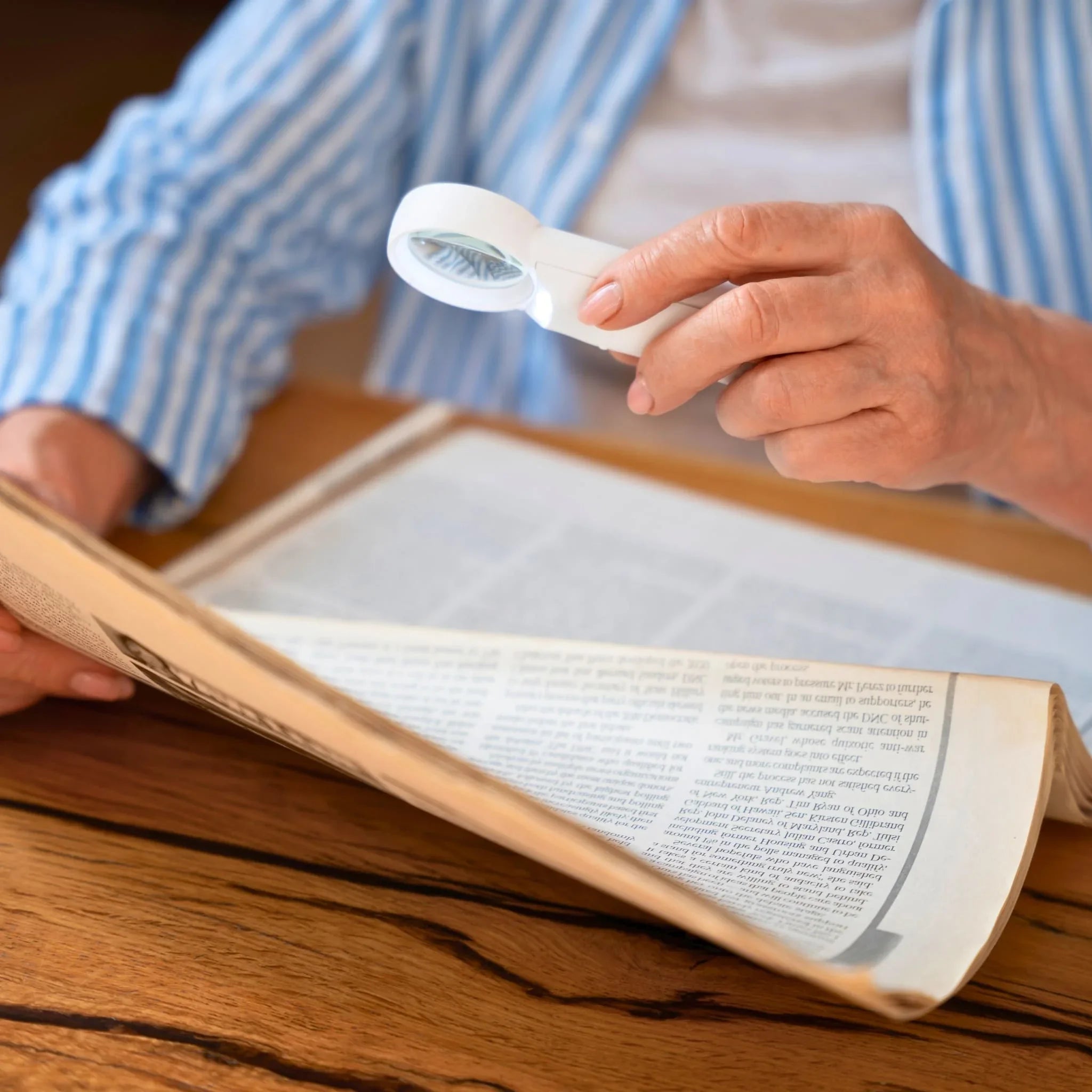
The handheld magnifier is the most common model. Easily portable, it is used to read short texts, examine details, or identify small objects. To position it correctly:
- Hold the magnifier midway between your eyes and the object to be observed, often 10-15 cm from each side. The ideal distance depends on the magnifier's magnification, usually indicated on the packaging (e.g., x2, x4).
- Move the magnifier gently until you get a clear image. It is often more effective to adjust the distance between the magnifier and the object rather than moving your eye.
- Rest your elbows on the table to avoid tiring your arm.
- Vary the angle to avoid reflections from ambient light.
Tip: If you quickly feel discomfort in your wrist, opt for a lighter model or a magnifier with an ergonomic handle.
🦾 Stand Magnifier
The stand magnifier (or articulated arm magnifier) is ideal for prolonged sessions (reading, sewing, handicrafts). It frees your hands, provides stability and comfort. To use it correctly:
- Place the base of the stand on a stable surface (table, desk).
- Adjust the arm height to align the lens with your eyes when seated, with a straight back.
- Tilt the lens so that it is perpendicular to your gaze, without distortion or reflection.
- Bring the object to be viewed under the lens and move it until you get the best sharpness. Never strain your neck.
Stand-mounted models are recommended for maximum comfort, especially if you read for a long time or perform meticulous tasks. Some include integrated LED lighting, to be positioned to avoid any shadows.
💻 Electronic Magnifier
Electronic magnifiers display enlarged characters on an LCD screen and generally offer many customization options. Here's how to adjust them:
- Position the screen at a comfortable reading height and distance (generally 35–50 cm), thus avoiding any twisting or tension in the neck.
- Adjust the digital zoom to get the ideal character size, without excessive pixilation.
- Play with the contrast settings and lighting to improve readability depending on the environment (inverted mode, different colors...).
- Stabilize the stand or device to avoid image vibrations.
The electronic magnifier is particularly suitable for people with significant visual impairment. Portable models also allow reading signs or labels on the go.
🎥 Video guide for positioning magnifiers
Watching video demonstrations is invaluable for understanding how to correctly adjust your reading magnifier. These tutorials allow you to observe each step in real time, making it easier to replicate the movements at home. The videos guide you on the eye-magnifier-object distance, the posture to adopt, the adjustments to make, and illustrate the differences in use between handheld, stand-mounted, and electronic models.
On our website, you can find a series of practical video resources on reading magnifiers suitable for all user profiles, from occasional readers to creative hobbyists. Illustrated by experts, these contents complement this guide for an immersive educational experience.
📈 Practical demonstrations
Practical demonstrations allow you to visualize each action in detail:
- Positioning a handheld magnifier: The video shows the handling, the adjustment of the distance, and the orientation according to the ambient lighting.
- Installing a stand magnifier: Overview of assembly, height adjustment, and how to place books, papers, or sewing projects to avoid fatigue.
- Using an electronic magnifier: Tutorial on choosing the magnification level, manipulating buttons, navigating menus, and trying different color filters.
These demonstrations emphasize ergonomics, the repetition of good practices, and the prevention of bad habits (e.g., too short a distance, insufficient lighting, slumped posture). To complete this, also read our article dedicated to using a reading magnifier for reading, DIY, and sewing.
🔧 Adjusting magnifiers for different visual needs
Not all users have the same visual comfort needs. Age, pathology, or even the type of activity performed play a role in choosing the magnification and how to position the reading magnifier. The goal here is to personalize the experience for everyone, and especially to optimize the magnifier's effectiveness based on the visual impairment encountered.
Here's how to adapt positioning for two of the most frequent needs:
👓 For presbyopia
Presbyopia, a natural age-related phenomenon, reduces the ability to see clearly up close. Reading magnifiers are an essential asset, provided they are properly adjusted:
- Choose moderate magnification (x2 to x3) to avoid distortion.
- Position the magnifier so that the page is about 25–30 cm from your eyes, then fine-tune the lens position to get the best sharpness.
- If necessary, wear your usual eyeglasses to obtain the overall correction, then fine-tune by adjusting the magnifier.
- Favor fixed supports (stand magnifiers) if reading is prolonged, as this keeps the page at the correct distance and relieves arm strain.
It is also recommended to illuminate the page with an adjustable desk lamp to increase contrast. Models combining a magnifier and LED lighting are particularly suitable.
🔬 For macular degeneration
Age-related macular degeneration (AMD) imposes specific visual needs. It is advisable to opt for high-magnification reading magnifiers, taking care to adapt their position:
- Use a high-power magnifier (e.g., x6 or x8), specially designed to enlarge small characters.
- Position the reading magnifier as close as possible to the text, then bring your eye to the recommended distance (often indicated by the manufacturer).
- Prefer electronic models with contrast adaptation and color inversion to improve character perception.
- Adjust the height of the screen or magnifier to avoid having to repeatedly raise or lower your head.
Do not hesitate to ask your optician for advice to choose the model best suited to your vision. In some cases, a combination of a magnifier and a reading lamp can significantly improve comfort.
🛠️ Useful accessories for better comfort
The experience with a reading magnifier can be optimized with a few complementary accessories, designed to facilitate reading and limit fatigue, especially during prolonged use. Here are the main ones:
- Holding supports to stabilize the magnifier.
- Additional lighting to enhance visibility.
- Non-slip mats to prevent the magnifier or text from slipping.
- Microfiber cloths for easy lens cleaning.
Many manufacturers offer packages combining several of these accessories.
🔗 Holding supports
A holding support facilitates the stable position of the reading magnifier. This can be a base, a clamp, or an articulated arm. This type of accessory offers several advantages:
- Stability: The magnifier no longer moves, the image remains clear and stable.
- Hands-free: Ideal for writing or manipulating an object under the lens (DIY, embroidery, reading long pages).
- Easy adjustments: Height and angle can be adjusted for personalized comfort.
Combining a sturdy, non-slip support with your magnifier greatly limits musculoskeletal disorders, while ensuring constant vision of the area to be read.
✨ Additional lighting
Lighting plays a key role in using a reading magnifier. Inadequate or dim lighting unnecessarily strains your eyes. Integrated lighting solutions (LED) are now common. Here's how to benefit from them:
- Always prefer white light, close to daylight, which is softer and truer for reading.
- Adjust the intensity to avoid glare.
- The orientation of the source should avoid casting shadows or creating reflections on the lens.
- Consider a luminous articulated arm or a supplementary clip-on lamp if the chosen model does not have one.
For those reading in the evening or in dark environments, adding lighting is often enough to extend the reading session while limiting eye strain and discomfort.
📏 Measures to preserve your eye health
Frequent use of a reading magnifier intensely strains your near vision. It is therefore essential to adopt certain good practices to maintain your eye health and get the most out of your equipment.
- Take regular breaks: Every 20 minutes, look away for 20 seconds and fix your gaze on a distant point to relax accommodation.
- Hydrate your eyes: Voluntarily blink your eyes to avoid dryness induced by concentration.
- Never force it: If reading becomes difficult, adjust the position of the magnifier, increase the lighting, or decrease the magnification.
- Regularly consult an ophthalmologist to monitor the evolution of your vision, especially after 50 years of age or in case of a known pathology.
Integrating these preventive measures will extend the duration of comfort when using your reading magnifier.
🌿 Eye exercises
Regularly performing eye exercises helps limit fatigue and preserve eye mobility:
- Lateral scanning: Slowly look left then right, without moving your head. Repeat 5-6 times.
- Alternate near-far gaze: Alternate 10 seconds towards a distant object (window) then a near object (book under the magnifier). Repeat 5 times.
- Eyelid blinking: Slowly blink your eyes 15 times to moisten the cornea.
- Circle of vision: Move your eyes in a circle as if following a large clock, with your eyes open.
These simple exercises relax the eye muscles and will help you better tolerate long sessions of magnified reading.
❓ FAQ – Answers to common questions about reading magnifiers
- What is the correct distance to maintain between the eye, the magnifier, and the page?
Ideally, the magnifier should be positioned midway between the eye and the text to obtain a clear enlarged image. This distance varies depending on the magnifier's magnification; consult the instructions or adjust gradually until optimal clarity.
- How can I avoid annoying reflections on the lens?
Position the magnifier perpendicularly to your gaze and adjust your light source so that it illuminates the text indirectly. Adjustable integrated lighting is recommended for greater comfort.
- Does reading with a magnifier cause long-term eye strain?
Not if it is properly positioned and used with appropriate lighting. Take regular breaks and adopt correct posture to minimize eye strain.
- Can a reading magnifier be used with prescription glasses?
Yes, it is even advisable to keep your glasses to benefit from the overall vision correction. Then adjust the position of the magnifier to fine-tune the focus.
- What is the best type of magnifier for long-duration reading?
A stand magnifier, combined with LED lighting and a comfortable support, is the most suitable for prolonged sessions as it frees your hands and ensures stability and ergonomics.
- Are there magnifiers suitable for children or students?
Yes, there are lighter, more colorful, and ergonomic models, sometimes with an unbreakable plastic lens and soft LED lighting.
🚀 Conclusion
Properly positioning your reading magnifier is essential for comfort, readability, and eye health. Each type of magnifier (handheld, stand, electronic) requires precise adjustments, whether in distance, angle, or lighting. Remember that appropriate accessories and good posture are your best allies against fatigue and for the pleasure of reading for a long time! Feel free to browse our dedicated collection to find the reading magnifier that best suits your needs, and to explore our video guides to master all essential gestures. Happy magnified reading!