



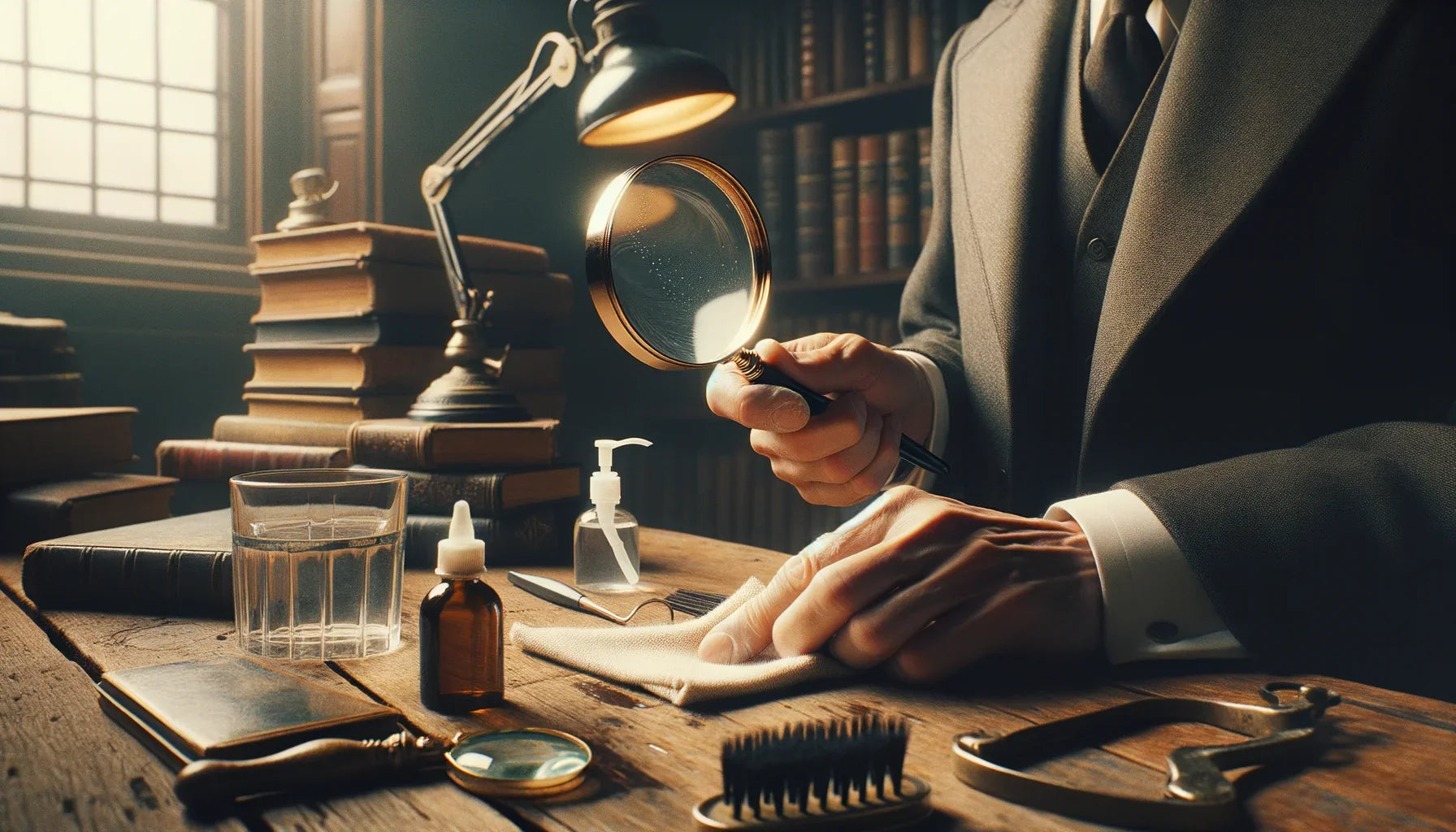
📌 Understanding Reading Magnifier Types for Optimal Maintenance
A reading magnifier is a valuable tool that improves visual comfort when reading small print or fine details. Whether you use a traditional handheld magnifier, an electronic magnifier with a digital display, or a stand magnifier for precision work, each model requires specific attention regarding its maintenance. Understanding the specificities of each type is the first step to ensuring their effectiveness and durability.
Classic handheld magnifiers are instruments equipped with a handle and a magnifying lens, often used to read documents or examine objects. They are usually made of glass or plastic with plastic or metal frames. Their simple structure makes them relatively easy to maintain, as long as a few simple precautions are followed to avoid scratches and dirt accumulation.
Stand magnifiers have a stable, sometimes articulated, support, ideal for keeping hands free while reading, doing manual work, or embroidery. Their maintenance includes not only the lens but also the articulated arm system which can accumulate dust or become loose over time.
Electronic magnifiers or digital magnifiers are equipped with an image capture device and a screen. These modern models offer additional functions, such as contrast or magnification adjustment. However, they require more meticulous maintenance, as they combine delicate mechanical and electronic components susceptible to humidity, dust, or shocks.
In summary, each type of reading magnifier requires specific maintenance methods: appropriate cleaning materials, attention to moving parts, or caution with electrical components. Mastering these aspects will allow you to maintain a high-performing, clear, and pleasant tool over time.
- Handheld magnifier: simple cleaning, beware of scratches
- Stand magnifier: articulation check and dusting
- Electronic magnifier: increased protection against liquids, dusting of the screen and sensor
Precisely identifying your model is the starting point for choosing the right type of products, adapted cleaning gestures, and precautions to be observed for optimal maintenance.
📌 Manufacturing Materials and Their Impact on Maintenance
The choice of materials in the design of a reading magnifier directly influences recommended maintenance practices and their long-term effectiveness. Generally, a magnifier consists of two main parts: the lens (magnifying) and the body (handle or frame), each designed from materials with specific characteristics.
💡 Lenses: glass or plastic?
Optical glass: Generally offers better image quality and increased scratch resistance. However, glass can break if dropped and requires careful cleaning with non-abrasive products.
Plastic (acrylic or polycarbonate): Lighter and less expensive, it is also impact-resistant, but can scratch more easily. Plastic magnifiers therefore require even more precautions, including the use of appropriate cloths and gentle cleaning solutions.
| Material | Advantages | Disadvantages | Recommended Maintenance |
|---|---|---|---|
| Glass | Scratch resistant High transparency |
Fragile Heavy |
Clean with microfiber cloth and suitable spray |
| Plastic | Lightweight Unbreakable |
Scratches easily Sometimes yellows over time |
Very soft microfiber cloth, avoid strong solvents |
💡 Body and frame: plastic, metal or combination
Plastic body: Lightweight and economical, it must be protected from excessive heat and powerful solvents that could deform it.
Metal body (steel, aluminum): More durable, but sensitive to humidity which can lead to corrosion if not well protected. In addition, the increased weight requires careful handling to avoid shocks and drops.
- Avoid aggressive products for plastic.
- Always dry metal to prevent rust.
- Never handle a magnifier with dirty or wet hands to avoid persistent marks.
Rapid identification of the materials of your reading magnifier will help you adapt your cleaning routines, prolong the transparency of the lenses, and avoid premature wear.
📌 Regular Cleaning: Frequency and Basic Techniques
Frequent cleaning, using adapted methods, is essential for clear vision and safe use. Condensation, dust, and fingerprints are the main enemies of optical clarity. A simple routine will save you the unpleasant surprise of a soiled magnifier when you need it most.
🔍 How often to clean?
Cleaning frequency depends on the intensity of use and the environment:
- Daily use: Clean the lens every other day.
- Occasional use: Weekly cleaning is sufficient.
- Dusty environment: Increase frequency with each use.
🔍 Basic techniques to preserve your lenses
Before you begin, always make sure to use a clean, dry microfiber cloth. Here are the main steps:
- Gently blow or brush the surface to remove dust or particles that could cause scratches.
- Apply a special lens cleaner or a mixture of distilled water and neutral soap to the cloth (never directly to the lens).
- Wipe in gentle circular motions, from the center outwards.
- Allow to air dry or immediately return the magnifier to its clean stand.
For stand or electronic models, remember to also dust the body, handle, joints, or casing, using a brush or a slightly damp cloth.
By following this methodical and regular approach, you will extend the optical quality of your reading magnifier and avoid irreversible scratches or the formation of opaque marks.
📌 Recommended Cleaning Products for Magnifier Lenses
The choice of cleaning product is a crucial step to ensure the integrity and longevity of your reading magnifier. Using an inadequate solution can cause irreversible damage, from micro-scratches to the loss of anti-reflective coating.
- Specialized sprays for optical lenses: formulated to dissolve grease and neutralize marks without damaging sensitive surfaces.
- Single-use wipes: soaked in a gentle mixture, they are practical for travel, but always ensure to use a model dedicated to optical surfaces.
- Distilled water and neutral soap: For plastic lenses, a very diluted mixture applied with a microfiber cloth is perfectly suitable.
- Cleaners for photographic instruments: they are also compatible with most high-end magnifiers.
Caution: never use rubbing alcohol, powerful solvents, or common household products on a magnifier lens, at the risk of tarnishing it, damaging optical coatings, or causing cracks. Therefore, prioritize specific products, available in specialized stores or from your magnifier vendor.
| Product | Compatible lens type | Use |
|---|---|---|
| Optical spray | Glass and plastic | Gentle and safe cleaning |
| Optical wipes | Glass, anti-reflective coating | Quick use, no rinsing |
| Distilled water + soap | Plastic | Occasional cleaning for greasy tasks |
Always remember to test the solution on a very small area before cleaning the entire surface, especially if your magnifier has an anti-reflective coating or a specific layer.
To discover more models perfectly suited to your needs and appropriate maintenance solutions for each type, explore our complete selection of reading magnifiers regularly updated.
📌 How to Choose the Right Cloth for Cleaning Your Magnifier
The cloth used has a direct impact on preserving lens clarity and preventing scratches. It's not about grabbing any tissue or handkerchief: always opt for the softest solution, designed for optical materials.
- High-density microfiber: this fabric is made of ultra-fine fibers capable of capturing dust and residue without damaging the surface. It is the recommended choice for any lens, regardless of its material.
- Anti-static cloths: ideal in dusty environments, they prevent the accumulation of static electricity.
- Avoid: paper tissues, rough cotton towels, old clothes, which can easily scratch the lens.
Practical tip: Regularly wash your microfiber cloth in lukewarm water, without fabric softener or bleach, to ensure its cleanliness and effectiveness.
| Cloth type | For glass lenses | For plastic lenses |
|---|---|---|
| Microfiber | Yes | Yes |
| Paper tissue | No | No |
| Cotton (towel, t-shirt, etc.) | No | No |
| Anti-static cloth | Yes | Yes |
Following these simple but effective tips preserves the magnifying power of the reading magnifier and ensures an optimal visual experience in the long term.
📌 Avoiding Damage: What Not to Do
Properly maintaining your reading magnifier also means avoiding certain actions that can damage the lenses or the body of the instrument. There are a number of common and often unknown, yet damaging, mistakes to absolutely avoid.
- Never use abrasive products: Scouring powders, abrasive creams, or abrasive sponges create micro-scratches that reduce visual clarity.
- Avoid direct contact with running water: Immersion or rinsing under the tap can damage surface treatments and weaken fixings.
- Do not use overly powerful compressed air on lenses: This can force dust under pressure, create condensation, or even damage electronic devices.
- Never dry clean a very dirty lens: Sand grains or particles present can cause irreversible scratches when rubbed.
- Never leave your magnifier exposed to direct sunlight: In addition to the risk of hot spots that can damage the lens, it also weakens plastics and deteriorates anti-reflective coatings.
To learn more about the mistakes to avoid and not miss any professional tips, consult our dedicated article: Top 7 mistakes to avoid when buying a reading magnifier.
By banning these bad practices, you will avoid premature wear, tarnishing, or even definitive damage to your reading magnifier.
📌 Proper Storage to Protect Your Magnifier
Storage between uses plays a crucial role in maintaining the condition of your magnifier. Often overlooked, this aspect of maintenance nevertheless determines its longevity, the sustained clarity of its lens, and the safety of its moving or electronic parts.
🧠 Good storage practices
- Always store your magnifier in its protective case (soft or rigid) provided at purchase, or in a suitable case.
- Avoid damp places, such as the bathroom or near a window, to prevent fogging or mold formation.
- Position the magnifier away from direct sunlight: overexposure can heat the lens, deform the plastic, or damage the batteries of electronic models.
- For electronic magnifiers, remove the batteries when the device will not be used for an extended period.
- If several magnifiers are stored together, insert a microfiber wipe to prevent the lenses from rubbing against each other.
By adopting these simple measures, you avoid the risks of invisible but progressive deterioration, ensuring a tool that is always ready and clear for every use.
📌 Electronic Magnifier Maintenance: Special Considerations
Electronic magnifiers, increasingly popular, offer enlarged images on screen and advanced functionalities. Their maintenance requires additional vigilance, because in addition to preserving the lens, you must protect the electronic components and the display screen.
- Clean the screen exclusively with a slightly damp microfiber cloth and specific anti-smudge solutions for LCD or OLED screens.
- Protect ports (USB, power, etc.) from dust and humidity, using the provided covers or by regularly wiping with an anti-static brush.
- Recharge the device according to manufacturer's recommendations, and avoid letting the battery completely discharge to maximize its lifespan.
- Touch the screen or buttons with clean and dry hands to avoid the accumulation of dirt or greasy residue, which are more difficult to remove than ordinary dust.
For any internal electronic intervention (battery change, screen repair, etc.), always consult a professional to avoid any mishandling.
Thanks to these targeted actions, you fully enjoy technological innovation while maintaining an optimal user experience throughout the lifespan of your electronic reading magnifier.
📌 Dealing with Scratches and Superficial Marks
Even with all precautions, a light scratch may appear sooner or later on the lens of your reading magnifier, especially if it's plastic. Fortunately, there are tips to reduce their appearance, or even eliminate them in some cases.
🛠️ First steps in case of a scratch
- Carefully clean the lens to avoid spreading dust in the scratched area.
- Examine the depth: a superficial scratch on plastic can sometimes be polished, while a crack or chip requires technical intervention.
🛠️ Home remedies to reduce light scratches
- Plastic polishing paste: Apply a minimal amount to the area, then gently rub with a clean microfiber cloth in circular motions.
- Non-abrasive white toothpaste: Use it as a temporary solution to polish micro-scratches. Thoroughly wipe off any residue.
- Optical polishing kit: Specially designed for glass or plastic, they allow for targeted and safe treatment.
Caution: Do not use these methods on anti-reflective coated lenses or glass, without guaranteeing product compatibility. When in doubt, entrust your repairs to an optical specialist.
Careful cleaning, combined with gentle solutions, is sufficient in the vast majority of cases to correct the visual appearance. As soon as a scratch affects reading or magnification, only professional intervention or replacement is feasible.
📌 Preventing Fogging on Lenses
Fogging on the lens is a common nuisance, especially when moving between cold and warm areas or in humid environments. Adopting a few simple tips can help maintain clear visibility in all circumstances.
- Gently wipe as soon as it appears: Use a dry microfiber cloth to remove fog without leaving streaks.
- Use anti-fog sprays: Available commercially, these products prevent condensation for several hours.
- Keep the magnifier at a constant temperature: Limit thermal shocks by always storing your magnifier in the same room where you use it.
- Dry your hands before handling: Finger moisture is sometimes enough to create condensation on the lens.
Avoid all improvised solutions (soap, vinegar, etc.) that could damage surface treatments. Prioritize the purchase of specific products if fogging is a recurring problem in your usage environment.
Thanks to these tips, you can enjoy your reading magnifier without interruption or loss of sharpness, even during seasonal or temperature transitions.
📌 The Importance of Regularly Checking Adjustable Components
Many reading magnifiers, especially those on stands or with telescopic handles, have adjustable elements to adapt to the user's needs. These mechanisms, such as clamping screws, articulated arms, or tilt, can wear out or become misaligned over time, affecting user comfort and positioning precision.
- Regularly check stability: Tighten screws, nuts, or fasteners if they seem loose to ensure maximum stability.
- Clean and lightly lubricate moving parts: Articulated axes benefit from occasional maintenance with a drop of suitable lubricant to prevent blockages or squeaking.
- Check the lens alignment to avoid image distortions due to improper adjustment.
- On electronic models, ensure that buttons, dials, or sliders operate smoothly without sticking or blocking.
Systematic checks, especially monthly or at the slightest feeling of misalignment, prevent accidents (magnifier falling, element breaking) and ensure comfortable daily use.
📌 Early Diagnosis of Common Problems
The longevity and effectiveness of a reading magnifier also depend on the ability to detect malfunctions or signs of wear early. Here are some examples of problems you might encounter, and how to react:
- Loose screws or handles: Do you feel unusual play or instability? A simple tightening is usually sufficient, using a suitable screwdriver.
- Formation of persistent stains: If certain marks do not disappear despite adequate cleaning, check for the absence of a greasy film or an unsuitable product residue. A specialized spray can then solve the problem.
- Permanent blurry area: On a plastic lens, this is often a micro-crack. On glass, it may indicate a chip. In both cases, limit aggravation by ceasing use and consulting a specialist.
- Abnormal electrical operation (for electronic magnifiers): The device does not turn on, heats up, or displays artifacts on the screen? Remove the batteries or unplug the power immediately and contact customer service or a qualified repair technician.
- Detachment of the seal or dust infiltration in the frame: Clean and then re-glue/reinforce if possible. Otherwise, proceed with a replacement by a technician.
A quick diagnosis saves you major inconvenience, extends the life of your reading magnifier, and preserves the quality of your observations.
📌 When to Call a Professional for Repair
Repairing a reading magnifier can sometimes be beyond the user's skills. In some cases, it is preferable to entrust the maintenance or replacement of parts to an optical or electronic equipment professional. This particularly concerns:
- Deep crack or chip on the lens: A professional can assess the possibility of polishing or proceed with a custom replacement.
- Major electronic failure (for digital magnifiers): Printed circuit boards, screens, or batteries require specific tools and risk-free disassembly for the equipment.
- Deterioration of the support or joints: Excessive play, broken claws, or springs often require complete replacement and precise adjustment.
- Deteriorated anti-reflective coating: A poorly executed repair could worsen the problem and permanently alter image quality.
Do not hesitate to ask your reseller for advice or consult after-sales services, who can guide you to the best solution depending on the severity of the incident.
Investing in professional intervention also guarantees the preservation of the optical quality and manufacturer's warranty of your