


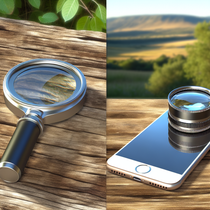
📌 Introduction to the Phone Magnifier
With the rise of mobile technologies, it's becoming easier to access powerful tools without being encumbered. Today, transforming your smartphone into a phone magnifier represents a major advancement, making optical magnification accessible to everyone, everywhere, and at any time. By relying on innovative applications, integrated settings, and suitable accessories, your phone truly transforms into a valuable viewing tool. But why such enthusiasm for this concept, and what practical solutions exist today? In this introduction, let's review the ways to turn any smartphone into a true digital magnifier and the importance of this everyday tool for multiple uses: reading, observation, DIY, or visual assistance.
Already widely used, the phone magnifier is not just a passing fad: its real utility, ease of implementation, and accessibility place it among the essentials for anyone wishing to optimize or facilitate their near vision with the equipment they already own.
📅 Evolution of Magnification Technologies on Smartphones
About fifteen years ago, the very notion of magnifying a detail using a phone was science fiction. Early phones equipped with cameras produced modest shots, often blurry or not very useful for analyzing fine details. Then, advances in screen resolution and camera sensors opened the way for true innovations.
The first magnification solutions on smartphones involved applications that simply offered to digitally zoom in on an image. These applications lacked fluidity, precise control, and quickly saturated the possibilities of usable magnification without major loss of quality. The development of high-definition cameras, image stabilization, and artificial intelligence integrated into certain applications then allowed for refining the experience, offering sharpness, contrast, and automatic adaptation to ambient light.
Now, there are applications specially designed to simulate a real magnifying glass, taking advantage of both optical zoom (when the device is equipped with it) and advanced digital zoom, coupled with image correction tools for stunning results. In parallel, the market has seen the emergence of optical accessories specially designed to clip or attach an additional lens in front of the phone's camera, offering real optical magnification where digital reaches its limits.
Users now benefit from an experience close to that of an authentic optical magnifying glass, with the flexibility and ergonomics of a smartphone: auxiliary light, instant photo or video capture, immediate sharing... So many innovations that have revolutionized the world of detailed daily observation.
🔍 Why Turn Your Phone Into a Magnifier?
Using your smartphone as a magnifier is no longer just a gadget, but a truly practical solution adapted to a great many uses. Whether you are a detail professional, a visually impaired person seeking simplicity, or a curious individual, transforming your mobile device into a magnification instrument offers decisive advantages.
The first advantage lies in the extraordinary portability of this non-bulky tool. No more endless searches for a classic magnifying glass at the bottom of a drawer or bag. Moreover, this solution revolutionizes the accessibility of near vision for a wide range of audiences. Let's focus on these two major aspects:
🔹 Advantages in terms of portability
By definition, a smartphone accompanies us everywhere: it fits in our pocket, travels with us during our professional, personal, or tourist trips. Adding a magnifier function naturally multiplies its versatility without adding any bulk. This is one of the essential reasons for the success of the phone magnifier.
- Simplicity: No complex installation, just take out your phone and launch the app or camera.
- Lightweight: Nothing extra to carry, unlike a classic magnifying glass with a handle and lens. Discretion: Practical for checking a detail in public, reading the composition of a product, or examining an item during a purchase without attracting attention.
- Reusability: A single device for multiple uses: calling, browsing, magnifying, photographing...
Achieving sufficient magnification to read packaging, check a seam, or observe an insect becomes child's play. This frees up significant space and facilitates object management. Through an intuitive application, the magnifier integrated into your smartphone accompanies you daily, wherever your phone goes.
🔹 Accessibility for All
The democratization of the phone magnifier represents significant progress, particularly for the inclusion of people with visual impairments or age-related vision problems.
Thanks to features such as one-touch magnification, contrast variation, or text-to-speech, smartphone magnification apps and accessories make access to information more equitable. Interfaces are often designed to be intuitive, allowing everyone, regardless of age or familiarity with new technologies, to quickly master these tools.
- Digital accessibility: Many magnifier apps offer options adapted for visually impaired people (e.g., high contrast, inverted colors).
- Economic accessibility: Using the phone you already own avoids the purchase of sometimes expensive specialized equipment.
- Customization: Fine adjustments to set the magnification level, choose lighting, add automatic reading...
This universalization of access to the magnifier, a guarantee of autonomy and efficiency, contributes to the inclusion of audiences traditionally underserved by optical solutions.
🚀 How to Turn Your Smartphone into a Magnifier: Step-by-Step
Want to unleash your phone's potential as a magnifier? Here's a practical, precise, and progressive guide to transforming your device into a powerful magnification tool. We distinguish three main complementary methods: dedicated applications, system settings, and additional accessories.
🔸 Using Dedicated Magnifier Apps
Several specialized applications, free or paid, turn your smartphone into a powerful magnifier. They generally offer:
- Adaptable zoom (x2, x4, x8 magnification and more depending on the model)
- The ability to freeze the image for inspection
- Real-time contrast or lighting adjustment
- Integrated flashlight to improve visibility
- Photo capture or video recording mode
- Color filters to enhance certain details
To install them, simply go to the App Store or Google Play, search for a "magnifier" app, and consult the detailed description to identify the one that meets your priorities (interface, efficiency, additional features).
Some reference applications: Magnifier & Microscope (Android), Magnifier + Light (iOS), Magnifying Glass with Light, etc. Each application offers its own specific features, some even offering text-to-speech for captured text, an ideal function for dyslexic or visually impaired people.
🔸 Integrated Magnification Settings
Most smartphones now include accessibility features, among which is a native magnifier mode. Here's how to activate it on the two major types of devices:
- On iPhone: Go to "Settings" → "Accessibility" → "Magnifier" and enable the option. A triple-press on the side button will then instantly launch the magnifier.
- On Android: Go to "Settings" → "Accessibility" → "Magnification gestures". You can then zoom and navigate all or part of the screen using specific gestures (triple tap or pinch).
The advantage of these integrated settings is their simplicity and robustness: no need to download a third-party application, nor to worry about complex updates. The ergonomics are designed to offer a minimum of manipulations, maximum efficiency, and direct access to the function when needed. Some devices also offer a floating mini-magnifier window, very useful for navigating while magnifying.
🔸 Complementary Accessories for Enhanced Magnification
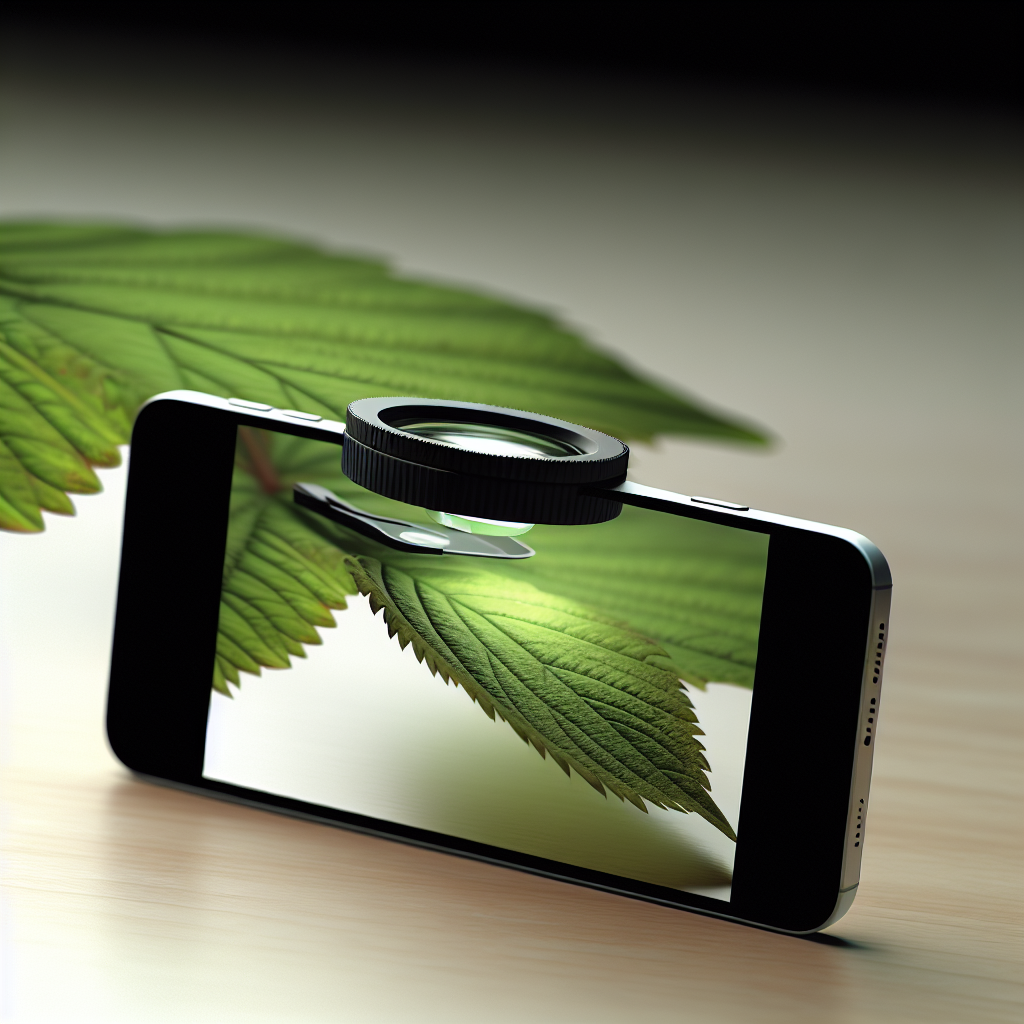
If you want to go beyond the limits of digital zoom, there are many accessories designed specifically to turn your smartphone into a super-magnifier. These are mainly magnifying lenses that attach to your phone's camera:
- Macro lenses: They install in a few seconds (clip, magnet, or adhesive attachment) and provide clear optical magnification without distortion.
- Clip-on magnifiers: Perfect for immediate magnifying effect, without complicated adjustments.
- Portable microscope kits: Some accessories elevate the level of magnification and literally transform the phone into an amateur microscope.
- LED ring lights: Useful accessory to improve lighting when taking close-up shots, essential when ambient light is lacking.
The compatibility and ease of use of these accessories are now optimized for all brands and models. Their price, already very affordable, has become democratized, making it possible to equip a wide public. To explore the variety of these solutions, take a look at this detailed collection: our range of phone magnifiers.
📱 Comparison of the Best Magnifier Apps for Smartphones
Magnifier apps compete in ingenuity and ergonomics. But how do you choose the one best suited to your needs? Here's a comparative table of the most popular solutions and their key strengths:
| Application | Platform | Max. Zoom | Special Features | Advantages | Disadvantages |
|---|---|---|---|---|---|
| Magnifier & Microscope | Android | x8 | Image freeze, LED lighting, capture | Free, intuitive interface | Ads, limited viewing angle |
| Loupe + Éclairage (Magnifier + Lighting) | iOS | x10 | Text-to-speech, Torch, filter | Strong accessibility | Some filters are paid |
| Magnifying Glass with Light | iOS/Android | x6 | Photo capture, night mode | Versatile | Ads in the free version |
| SuperVision+ Magnifier | Android | x7 | Stabilization, cloud storage | Easy backup | Heavier installation |
| Magnifying Camera | iOS/Android | x5 | Manual focus, fine adjustments | Quick to pick up | Lower magnification |
Depending on your priorities (visibility, accessibility, stabilization, ancillary features), you can refine your choice. Don't hesitate to test two or three applications to find the one that suits you best. Some offer a paid premium experience, but most free versions are perfectly sufficient for everyday use.
For a detailed ranking of optical tools, also consult our selection of recommended magnifying lamps.
🔋 Impact of Magnifier Use on Battery Life
Intensive use of the magnifier mode heavily strains certain smartphone components: camera, screen (often at high brightness), and possibly the integrated flash/LED. These demands have a direct impact on battery life, especially if the magnifier function is used for an extended period.
- Camera heavily used: Continuous video capture requires a lot of energy.
- LED lighting: When used in torch mode for low-light observation, it drains the battery quickly.
- Active screen: Prolonged display at high brightness can accelerate discharge.
For typical use (a few minutes a day), consumption remains moderate and comparable to that of a classic photo or video capture. But for more intense or prolonged use (observing details for 10-20 minutes), it's advisable to adopt certain tips:
- Lower screen brightness to the strict minimum necessary.
- Disable background applications.
- Prioritize optical zoom or macro accessories that don't require increased digital power.
- Ensure your battery is well charged or have a portable charger handy.
- Limit flash usage except when absolutely necessary.
A common anecdote among electronics repair professionals: it's common to see a phone's battery drop from 80% to 50% in half an hour when working in LED magnifier mode activated. It's therefore better to anticipate to avoid unpleasant surprises during intensive use, especially on older phones or with worn batteries.
🌐 Using Your Smartphone as a Microscope: Is it Feasible?
Can we go beyond simple magnification to turn our phone into a real microscope? The answer is yes, within certain limits. While a smartphone's magnifier function covers common needs (enlarging text, inspecting an object), the demands of microscopy require high magnification, often with increased precision and stability.
The accessory models available on the market make it possible to achieve magnification up to x60, x100, or even more with special lenses. The result will mainly depend on:
- The quality of the smartphone's camera sensor
- The accessory used (macro lens, portable microscope kit)
- The support for the observed object and the stability of the shot
Important reminder: the optical limit of a smartphone, even equipped with a macro lens, cannot rival that of a laboratory microscope. Nevertheless, for observing the texture of fabric, an insect's wing, or even the structure of certain plants, these accessories offer a particularly stunning experience at a reduced cost.
🔎 Accessories Needed for Extreme Magnification
To turn your smartphone into a makeshift microscope, several complementary pieces of equipment are available. Here is a list of the most commonly used accessories:
- Macro lenses x15 to x100: Specially designed for macro photography, these lenses attach to the rear camera via clip or magnetic support.
- Microscope kits with integrated LED: The accessory combines a very powerful lens and a light ring to improve the illumination of the observed subject, crucial for high magnification.
- Portable tripods: To avoid blur and ensure sharpness at high magnifications, a small support is often essential.
- Spacer supports: To precisely position the phone above the subject, some accessories allow adjusting the optimal focal distance.
Thanks to these accessories, mobile microscopy becomes accessible not only to enthusiasts and students, but also to many professionals (horticulturists, repair technicians, researchers, etc.). Just be sure to check the compatibility of the accessories with your phone model and the stability of your setup to fully enjoy the extreme magnification potential.
👨💻 Practical applications for everyday use
The phone magnifier is useful in a multitude of everyday situations. Beyond its classic use for reading, this small tool hidden in your smartphone can genuinely change the lives of many users, whether individuals, professionals, or students.
Let's explore some concrete examples, from the most trivial to the most technical:
🔹 Reading small print
Whether it's deciphering a food's ingredients, reading instructions in tiny print, checking an engraved serial number, or examining the details of an invoice or receipt, the digital magnifier revolutionizes close-up reading. Some usage examples:
- Seniors: Effortlessly read appliance instructions or medication dosages.
- Children: Deepen their curiosity by scrutinizing details invisible to the naked eye (insects, leaves, rocks, etc.).
- Occasional users: Scan a scratched or poorly printed QR code, decipher a faded receipt, etc.
The phone magnifier significantly improves reading comfort in everyday life, whether in a library, a store, or while traveling.
🔹 Professional and educational use
Professional and educational sectors fully benefit from the digital magnifier:
- Jewelers and watchmakers: Examine fine parts or detect defects on watches, jewelry, precious stones, etc.
- Technicians and repairers: Diagnose miniaturized electronic components, inspect micro-soldering, read tiny references on circuit boards.
- Teachers and educators: Motivate scientific curiosity in class on topics related to botany, biology, or physics.
- Medical: Quick inspection of minor injuries, identification of parasites, support for first aid telemedicine.
- Graphic arts: Examine texture, brushstrokes, pigments during artwork restoration or scientific analysis.
Thanks to its ease of sharing (photos, videos), the digital magnifier becomes a major educational and professional asset for any documentation or for remote visual transmission.
📈 Future trends in smartphone magnifiers
The continuous growth of mobile imaging suggests a future where the phone magnifier will be even more intuitive, precise, and integrated. The major expected trends are:
- Improved native integration: Manufacturers are working to expand built-in optical zoom capabilities, making the use of additional lenses less and less necessary.
- Artificial intelligence: Future generations of magnifier apps will use AI to automatically adjust images, correct optical defects, or read and interpret enlarged texts.
- Adaptive lenses: Innovations in accessories (auto-adjustment of focal distance, increased field of view, optical stabilization).
- Universal compatibility: More and more accessories will be designed to adapt instantly to any smartphone, without complex installation.
- Connected micro-imaging: Interfacing with connected objects, remote scientific analyses, medical telediagnostics...
Tomorrow, the digital magnifier will definitively establish itself as an intelligent, all-in-one tool, at the intersection of everyday object and cutting-edge professional tool.
✅ Conclusion and recommendations
Transforming your smartphone into a phone magnifier is undoubtedly one of the most practical and democratic uses of mobile technology. Quick to implement, lightweight, flexible, this solution meets both occasional needs (reading, detail observation) and more specialized uses (professional, educational, scientific).
To fully benefit from this functionality, we recommend:
- Choosing an intuitive magnifier app, adapted to your operating system and your expectations.
- Using the phone's native accessibility options for optimal speed of execution.
- Supplementing your equipment if necessary with a macro lens or a light kit to take advantage of your device's full optical potential.
- Paying attention to battery consumption during prolonged use, especially in maximum lighting mode.
Finally, do not hesitate to experiment and compare existing solutions to select the one that suits you best, and consult our website for any questions or specific accessory needs.
🗨️ FAQ: Frequently asked questions about phone magnifiers
- 1. Does the phone magnifier work on all smartphones?
Most basic functions are compatible with all recent smartphones, either via a dedicated app or accessibility settings. However, very old models or those with low-quality cameras may show limitations in terms of sharpness and definition.
- 2. What is the difference between a classic digital zoom and a phone magnifier?
Digital zoom virtually enlarges the image but without specific correction or optimization functions. A magnifier app, on the other hand, often offers fine adjustments, filters, stabilization, and the possibility of text-to-speech or integrated lighting, for a richer experience.
- 3. Can the digital magnifier be used without an internet connection?
Yes, most apps work offline, as only the magnification functions use the phone's internal resources. Sharing or cloud options, however, require a connection.
- 4. What accessories do you recommend for occasional observation?
For observing an everyday object or reading small print, a clip-on macro lens or a removable LED accessory is largely sufficient. A microscope kit is not necessary, except for demanding professional or scientific needs.